
I’m Your Host
Case studyThe problemTrivia hosts spend the night collecting slips and updating scores.
Your room.
Your show.
Phone buzzers. A shared screen.
You run the night.
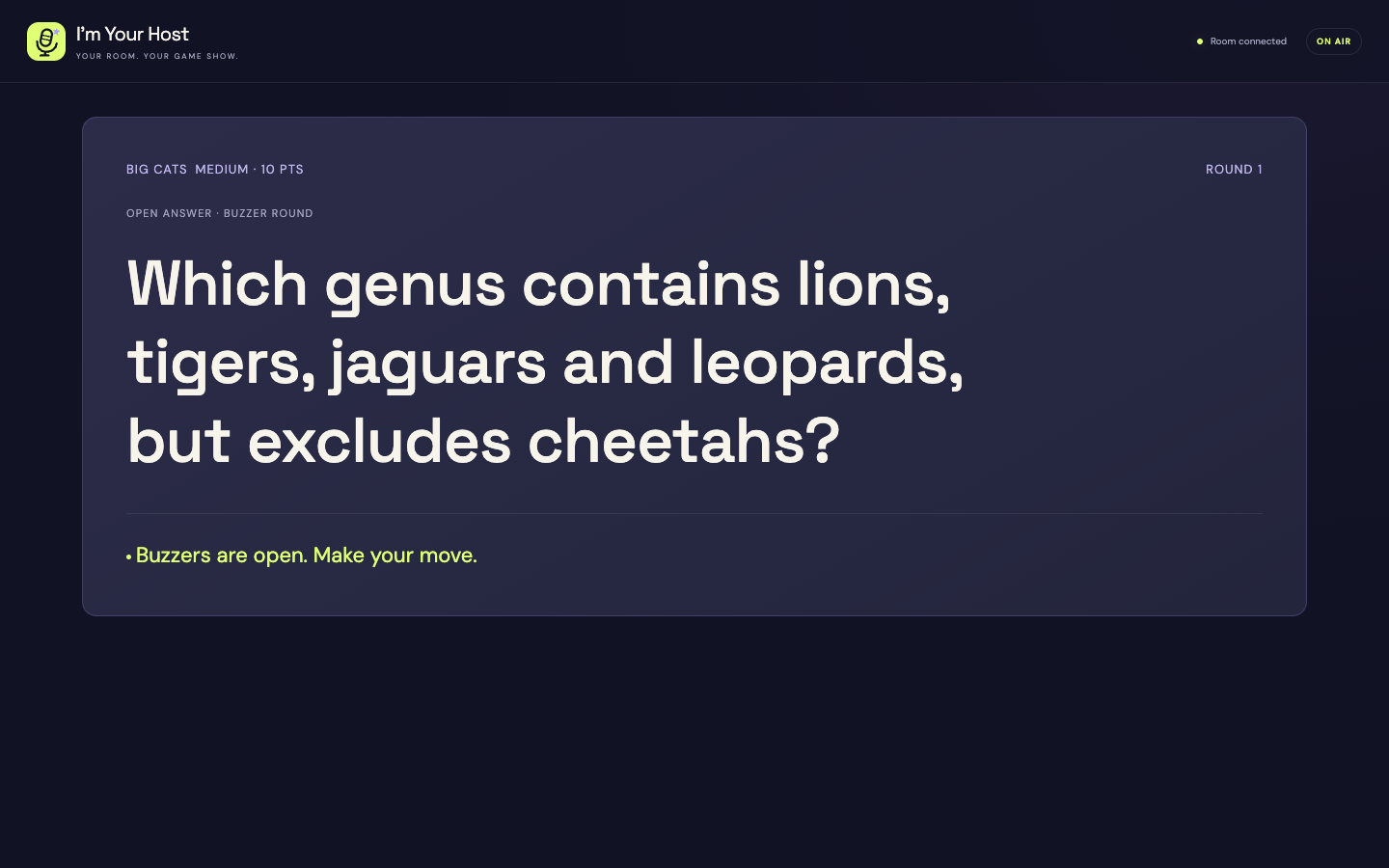
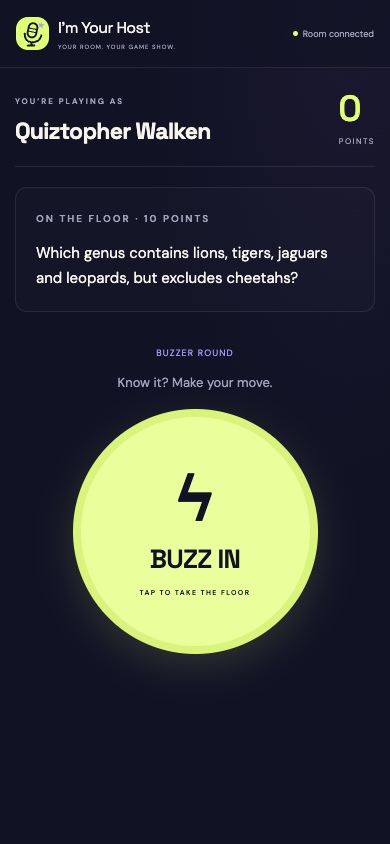
I love hosting trivia. I built one app to coordinate the host, players and shared screen so I could spend more of the night with the room.
The problem
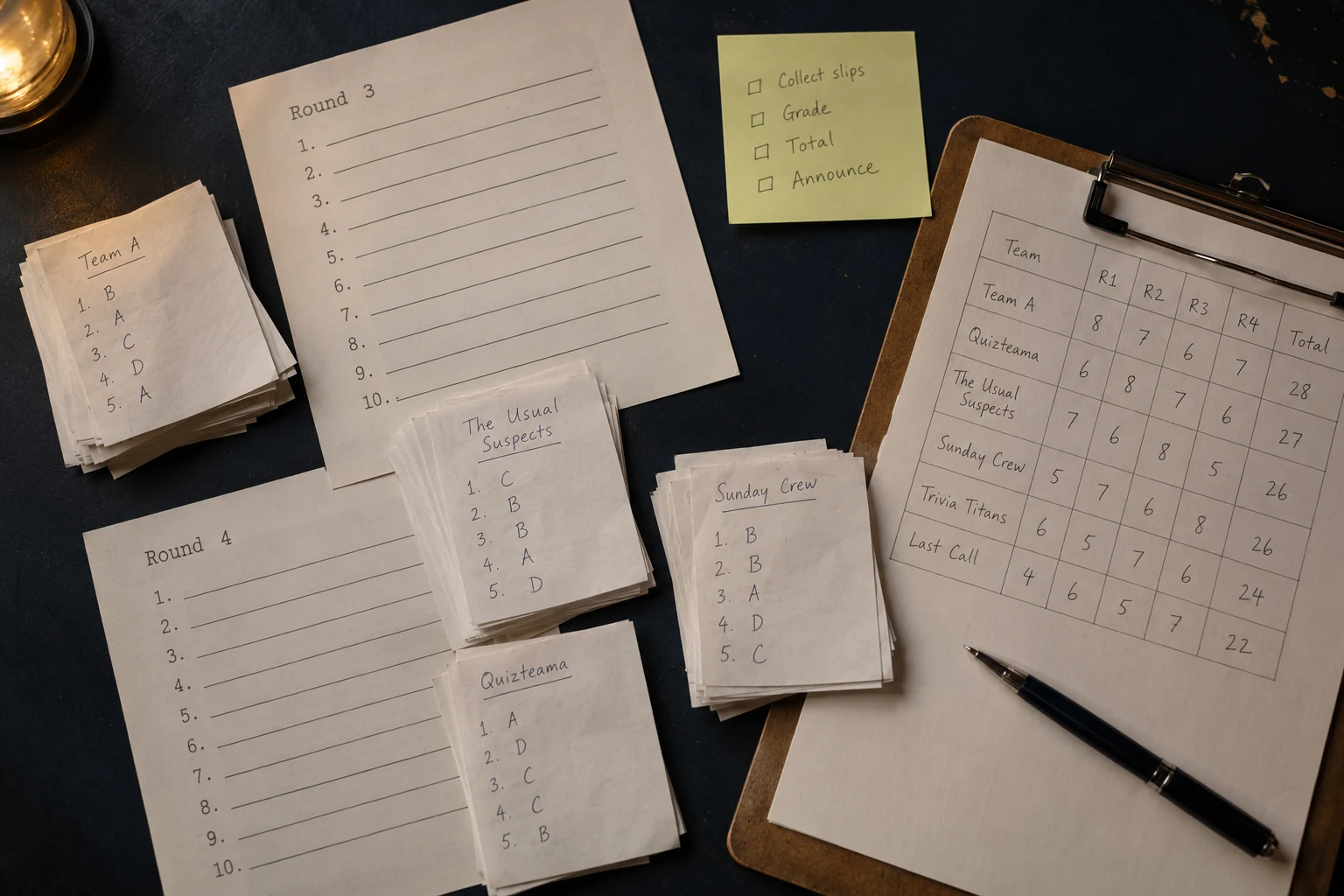
Trivia night comes with too much paperwork.
Trivia hosts told me about printing slips, preparing grading sheets and tracking scores. I wanted one app to handle those logistics for regular hosts, bars and breweries, and friends playing at home.
The phone becomes part of the group activity: a buzzer or answer sheet for the same game.
The solution
Connect the host, phones and shared screen.
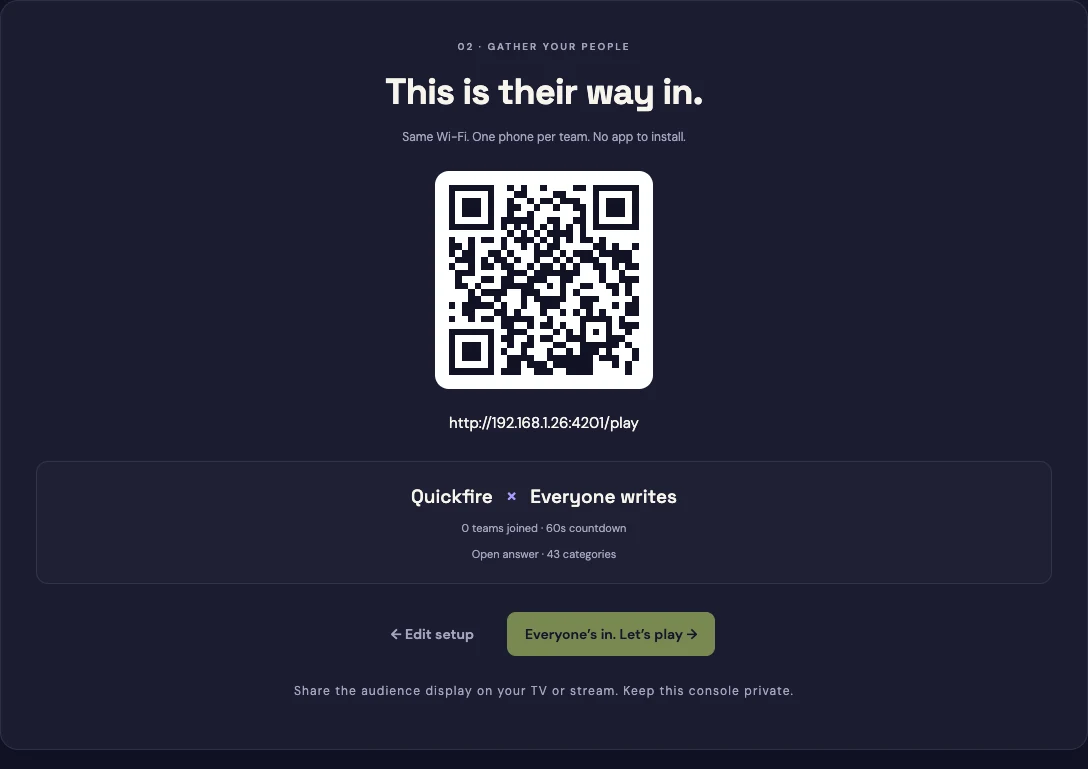
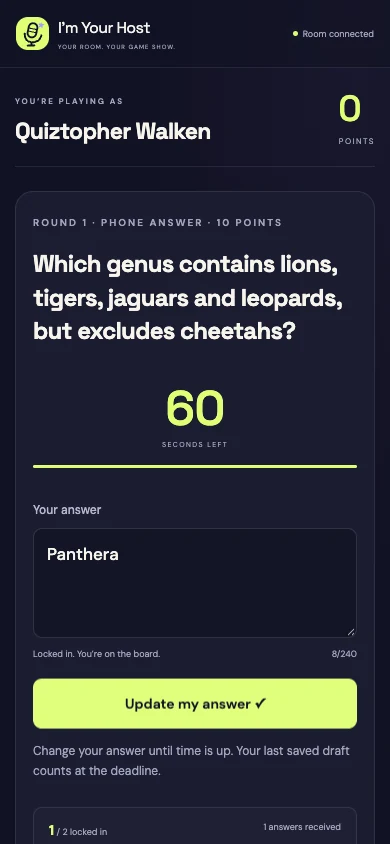
The host opens the desktop app. Players scan a QR code and join in their phone browser on the same Wi-Fi. A separate display gives the room a shared view.
I separated the host, player and display views. They need different information from the same game.
Question control
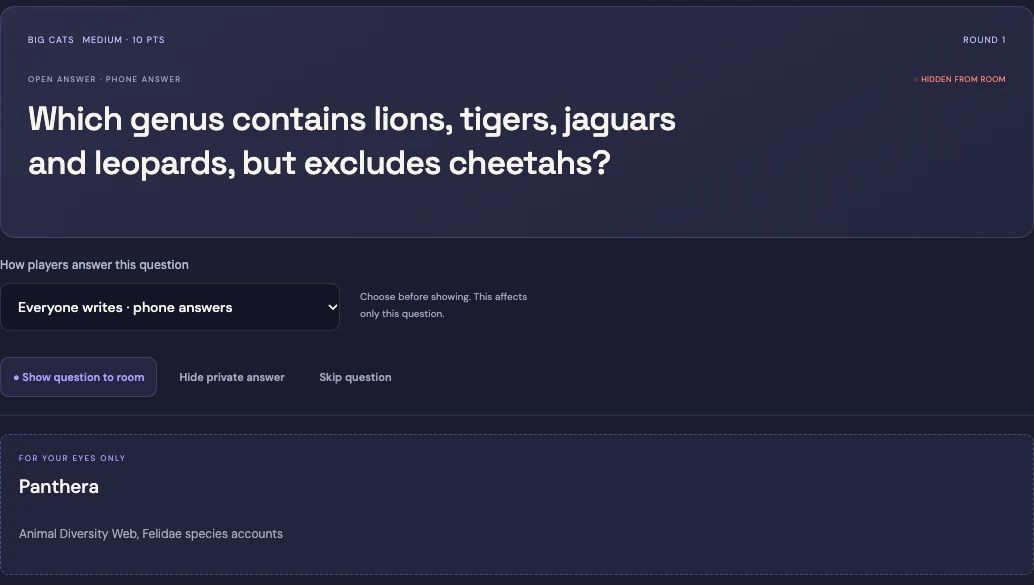
Preview privately, then reveal the question.
The host checks the question and answer before showing anything to the room. Revealing the question is a separate action from opening buzzers or starting the written-answer countdown.
A private preview must never leak to phones or the shared screen.
Timing
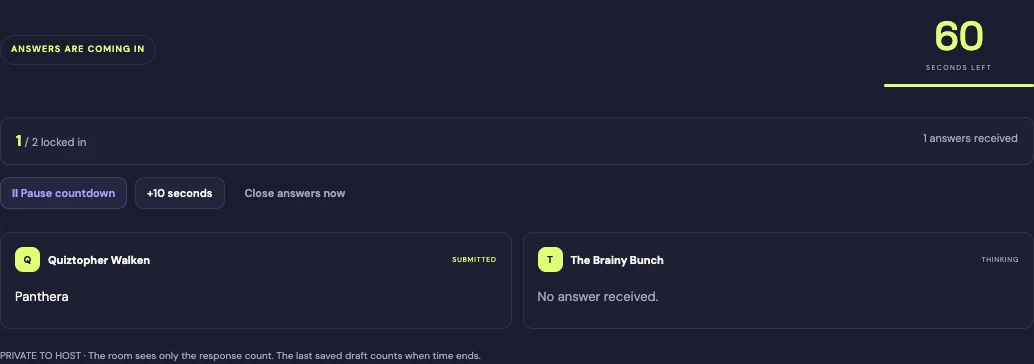
Collect answers against one server deadline.
Written answers go to the host for review. The local server closes submissions at the deadline. Buzzes are ordered by arrival at that server; a close call can still be affected by Wi-Fi latency.
Holding the room freezes the countdown and locks responses. The game resumes from that held state.
The result
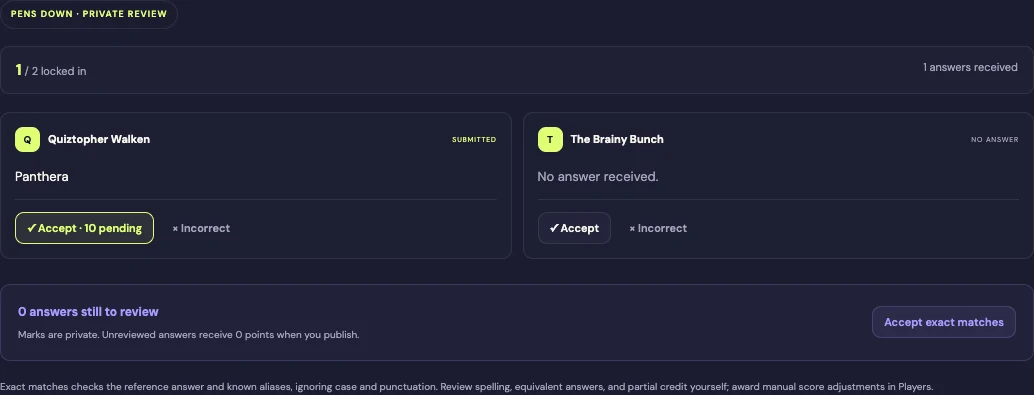
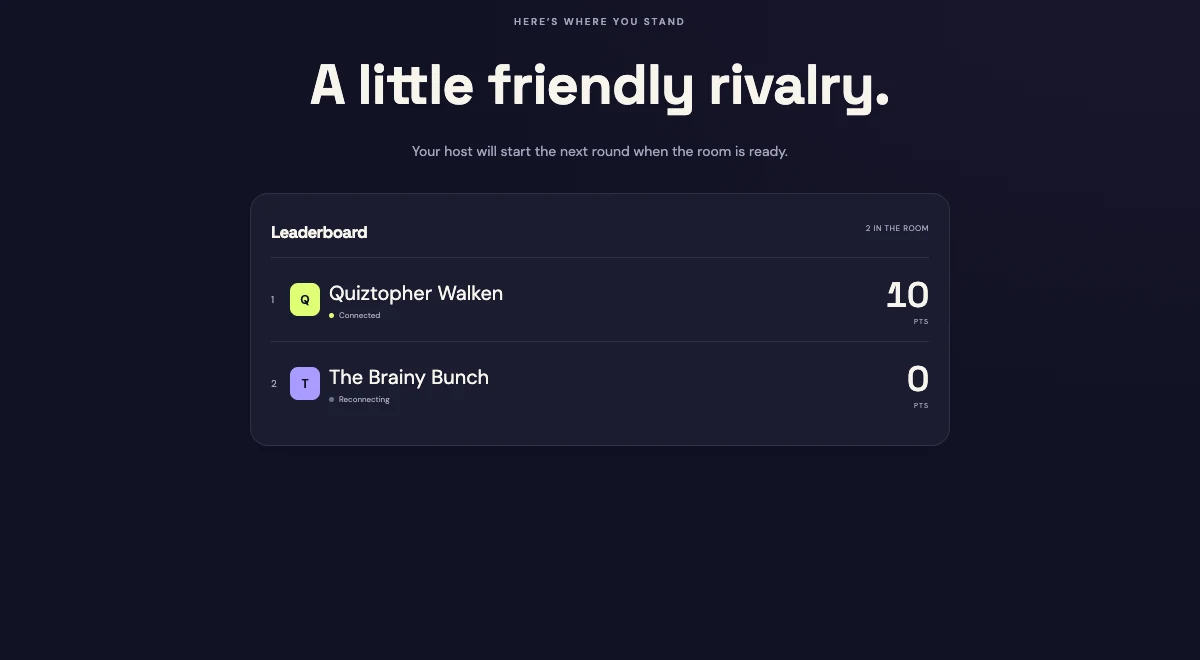
Grade privately, then publish the scores.
The host decides which answers count, reveals the answers and then publishes written-round scores. Draft grading stays private. Saved scores and player identity support reconnects in the same phone browser.
Marking an answer should not immediately publish its points. The host sets the pace.
Publish scores
Behind the build
My part in I’m Your Host.
I specified the room experience, then the actions needed to move everyone through it. AI was my main implementation tool. The hardest work was getting the phones, host and shared display to agree on timing while keeping previews and unfinished grades private.
Evidence & what’s next
Screens show the actual game with simulated players. The desktop edition hosts multiplayer on a shared local network. The public browser round is a one-device sample; a real-phone game night is the next useful acceptance check.
This is trusted-LAN multiplayer, not an internet-hosted room. Wi-Fi latency can affect close buzzes. The host computer must remain awake. The browser sample is solo; the desktop edition has platform-specific installation prompts.
Run a complete game with real phones. Record join failures, reconnect success, unexpected reveals, host corrections and time spent on scoring.