
Clippr
Case studyThe problemA finished video still needs another round of editing for social.
Clips.
Captions.
Covers.
A local studio for the next edit.
Your footage. Your connected AI.
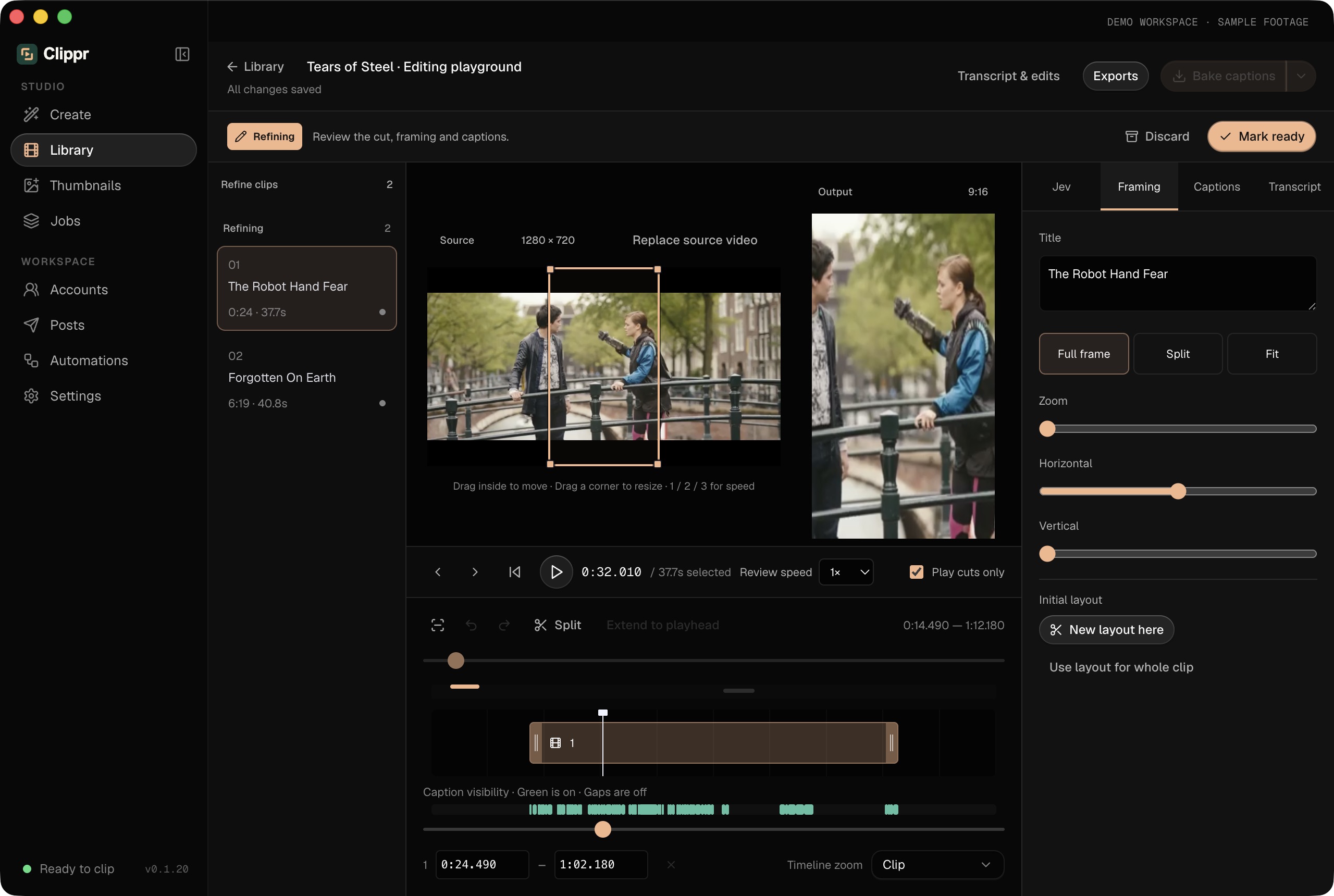
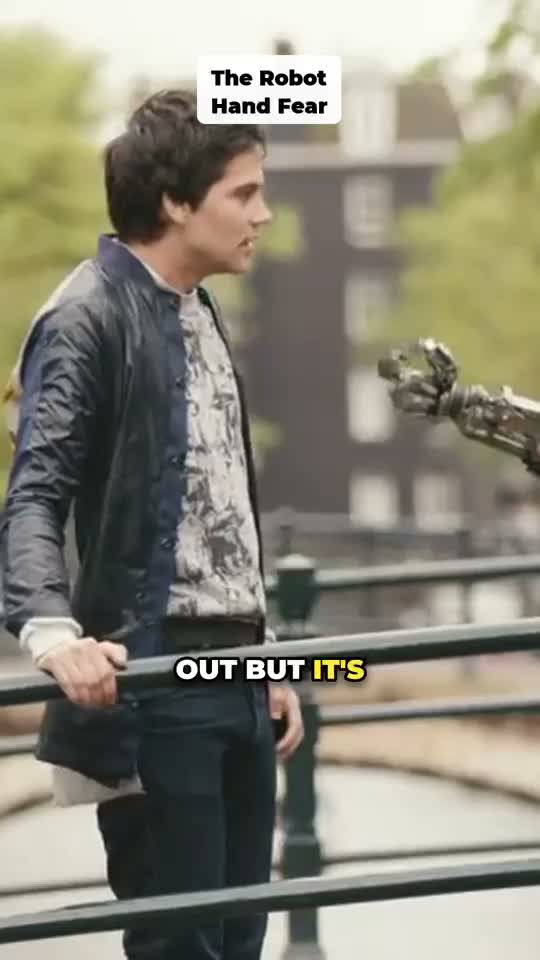
I built Clippr to turn an existing video into reviewed social clips: map the footage, suggest moments, refine the edit and export.
The problem
Social clips repeat the editing work.
For YouTubers and social creators, a finished video is the beginning of another job: find the moments, make them vertical, time the captions and prepare the covers. I wanted that to happen in one workspace.
My starting point was a local app with bring-your-own AI connections.
The solution
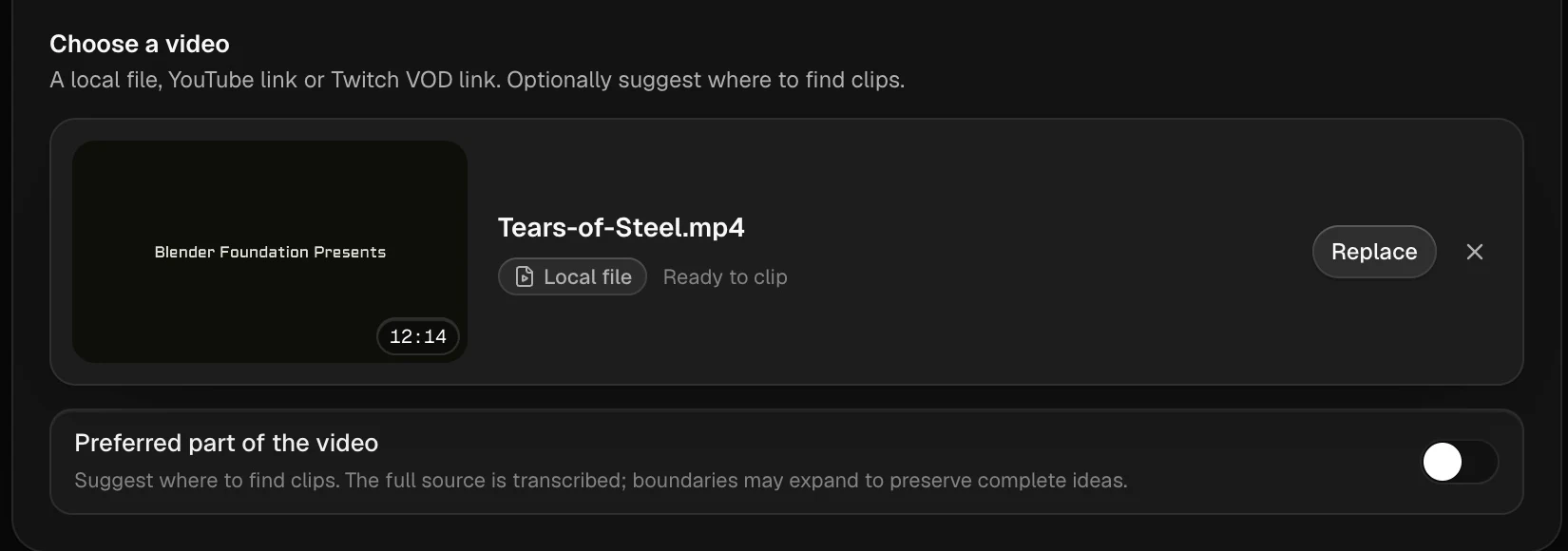
Map the scenes and transcribe the audio.
Ingest the video, detect scene boundaries and transcribe its audio locally. The scene structure and words give the next stage a way to reason about the footage.
Mapping the source comes before picking a highlight. A strong line still needs its context.
AI selection
Suggest clips with a complete story.
Connected AI helps plan candidate clips. The experimental Jev integration offers another review of suggested moments. I wanted hooks with a coherent story and a natural ending.
Retention, looping and virality are goals for selection. They aren’t measured outcomes from a suggestion.
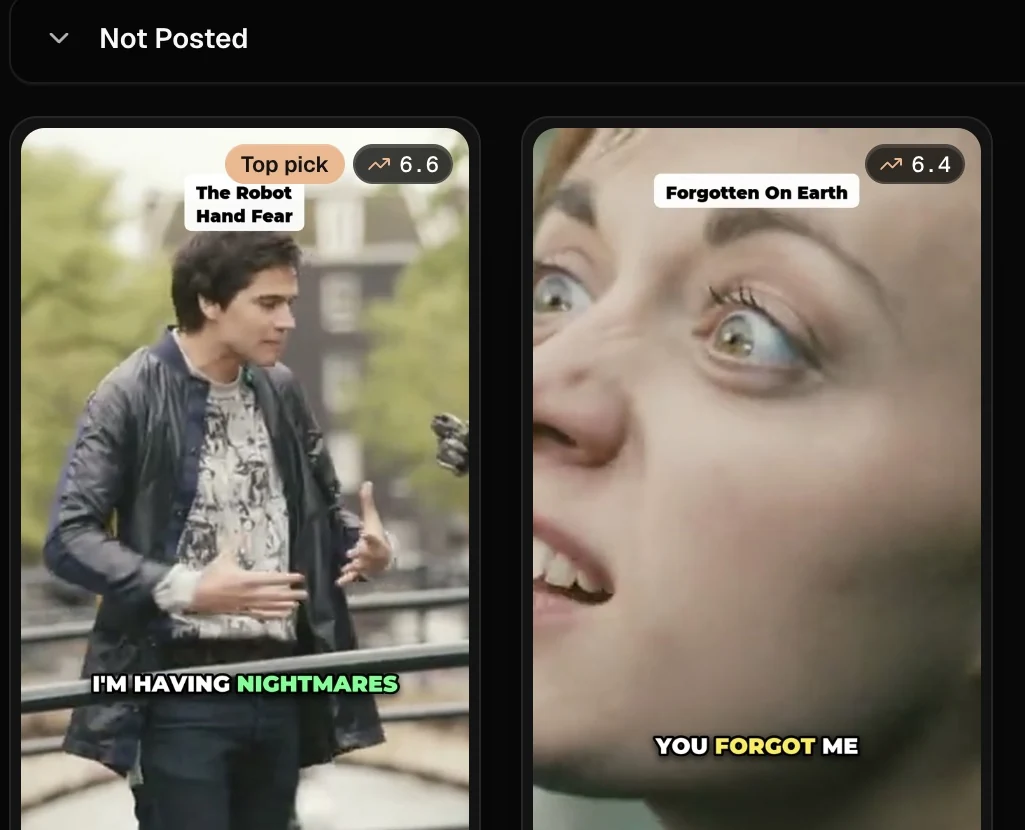
Editor review
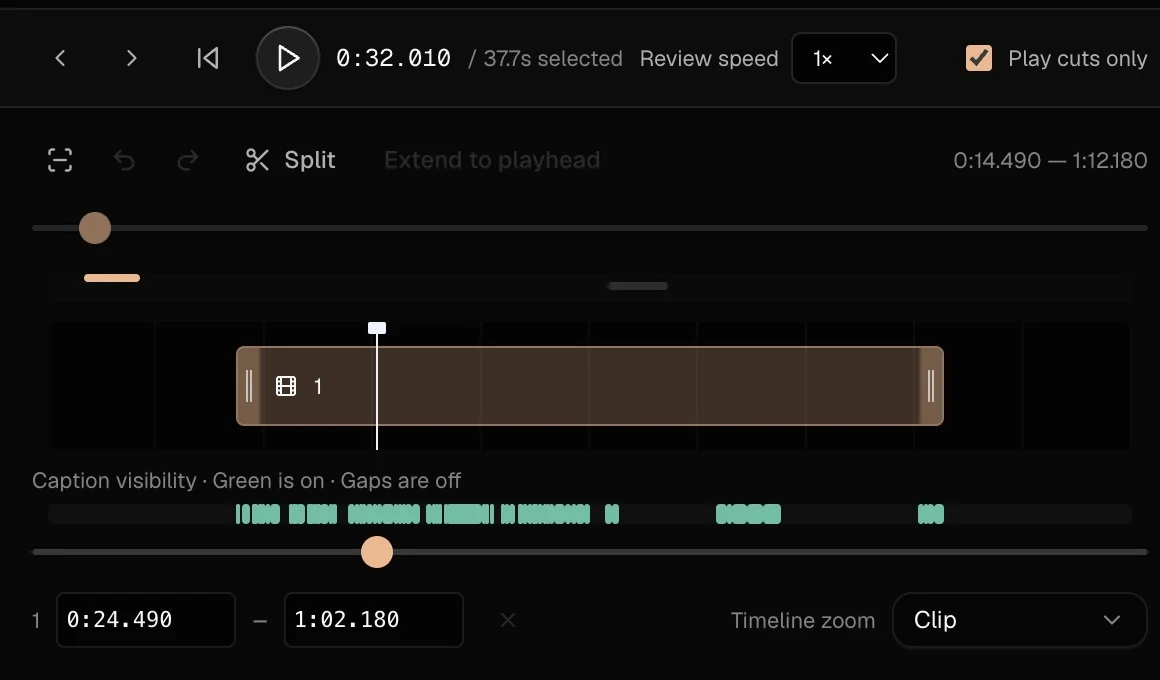
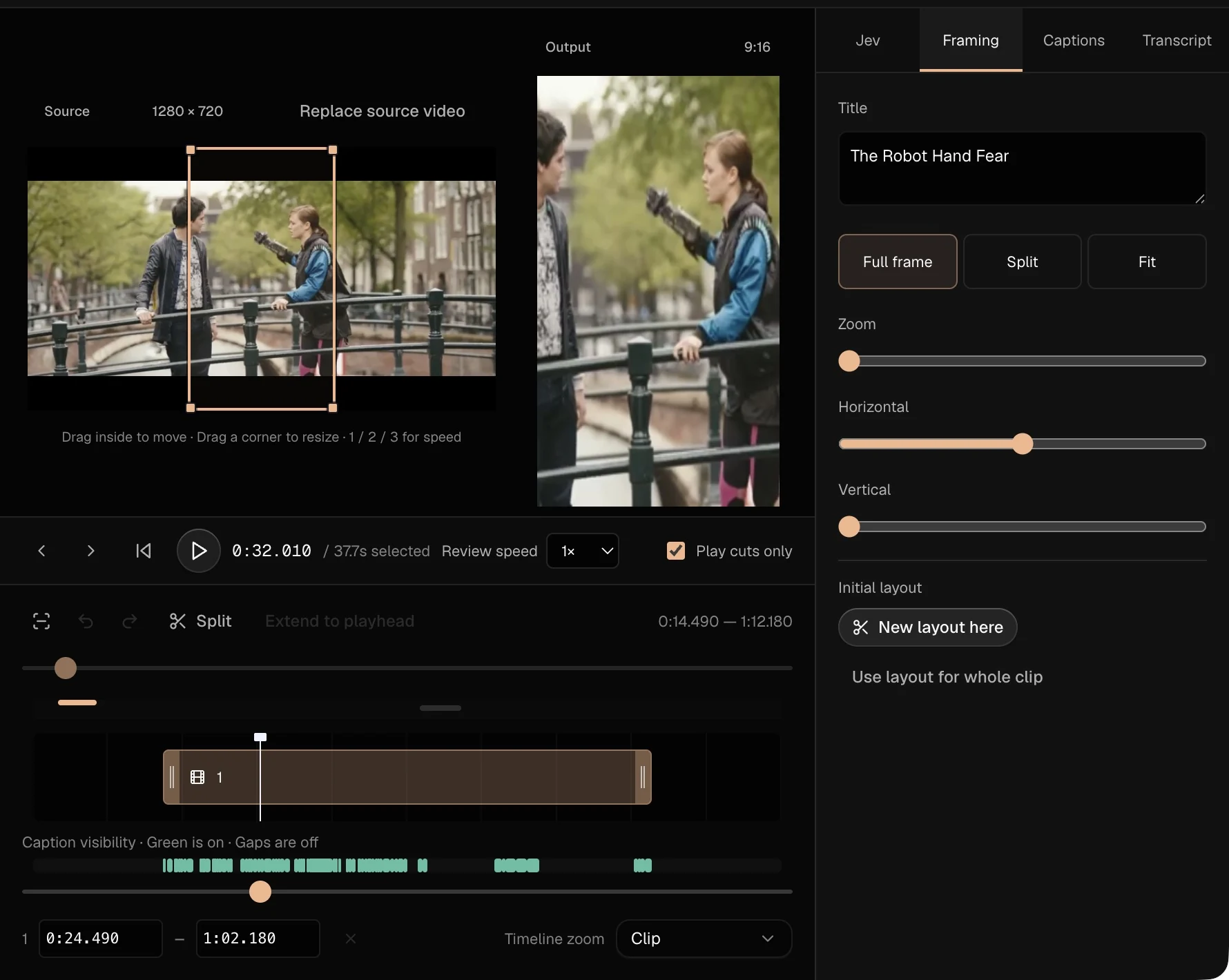
Refine the cut, crop and captions.
Choose the moment worth keeping. Refine its boundaries, crop the frame and check the caption wording and timing. Keep enough context for the short to work by itself.
AI proposes. The editor approves the story, framing and captions.
The result
Render the clip and review the export.
Prepare the cover through connected AI while background jobs keep the workspace available. Render the clip locally, then inspect the final cut, crop, captions and cover together.
Local transcription and rendering sit alongside online AI requests. This workflow isn’t entirely offline.
Behind the build
My part in Clippr.
I wrote the workflow specification around ingest, scene cuts, transcription, candidate selection and the final edit. AI was my main coding tool. Repeated iteration went into the handoff between local media work and connected providers, and keeping background cover jobs out of the editor’s way.
Evidence & what’s next
Screens and the video below are actual Clippr outputs. New AI clips in the demo use Codex sign-in. Experimental Jev review needs an optional TypeSafe key. Social posting is disabled in the demo.
The demo uses Codex sign-in for new AI clips. Experimental Review & edit needs an optional Jev key. Claude sign-in is planned; social posting is disabled in the demo.
Use the same source video for manual and assisted runs. Record hands-on time, candidate acceptance, caption corrections, export failures and AI cost.